
How To Print The LOGO On The Aluminum Skating Frame With A Laser Engraver
May 20, 2025
1. Equipment and Materials
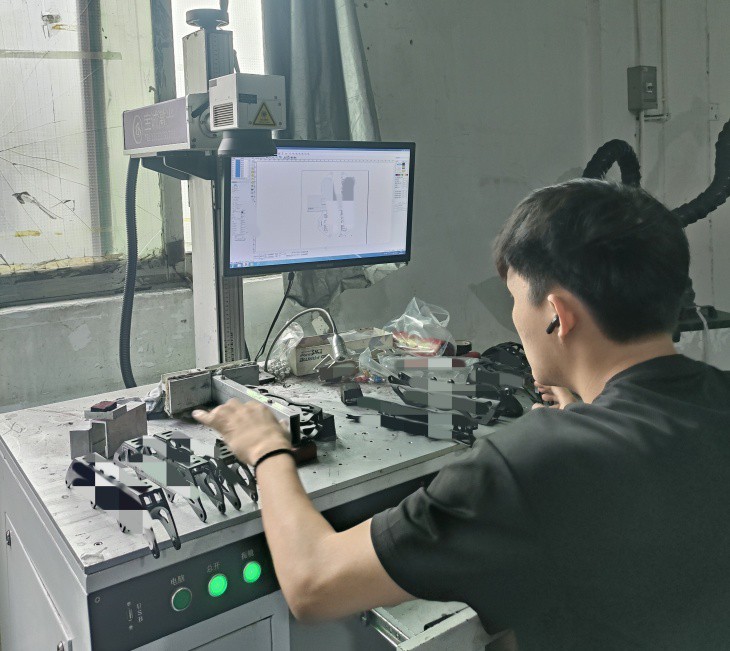
Laser Engraver: Use a fiber laser (recommended for metals) with at least 20W power. CO2 lasers are less effective on metals without additives.
Software: Vector design software (e.g., Adobe Illustrator, CorelDraw) and laser engraver software (e.g., LightBurn, RDWorks).
Accessories:
Rotary attachment/jig to secure the curved skate frame.
Metal marking spray (e.g., CerMark) if engraving bare aluminum for better contrast.
Safety gear (protective eyewear, ventilation).
2. Logo Preparation
Vector File: Convert the logo to a vector format (SVG, AI) for precise engraving. Ensure clean lines and appropriate sizing for the skate frame.
3. Surface Preparation
Clean the Frame: Wipe with isopropyl alcohol to remove oils/dirt.
Apply Marking Spray (if needed): For bare aluminum, apply a thin layer of marking spray to enhance contrast. Skip if the frame is anodized.
4. Machine Setup
Secure the Frame: Use a custom jig or rotary tool to hold the skate frame steadily, accounting for curves.
Focus the Laser: Adjust the lens to the correct focal distance (~2-3 inches for fiber lasers) for sharpness.
5. Laser Settings
Test on Scrap Aluminum: Start with default settings and adjust:
Power: 30-70% (higher for deeper marks; avoid structural compromise).
Speed: 100-300 mm/s (slower for darker marks).
Frequency: 20-50 kHz (lower for more material removal).
Anodized Aluminum: Lower power (10-30%) to remove the top layer without damaging the substrate.
6. Engraving Process
Run a Test Pass: Check alignment and contrast. Adjust settings as needed.
Engrave the Logo: Execute the final engraving, monitoring for consistency.
7. Post-Processing
Clean the Frame: Remove residue with alcohol or water (if marking spray was used).
Enhance Contrast (optional): For bare aluminum, apply paint fill into the engraved areas, then wipe excess.
8. Safety & Maintenance
Ventilation: Use a fume extractor to avoid inhaling particles.
Lens Care: Clean the laser lens post-engraving to maintain performance.
Tips
Depth Control: Use multiple low-power passes to avoid weakening the frame.
Anodized Frames: Engraving exposes the raw aluminum, creating natural contrast.
By following these steps, you can achieve a precise, durable logo engraving on an aluminum skate frame. Always prioritize testing and safety adjustments.